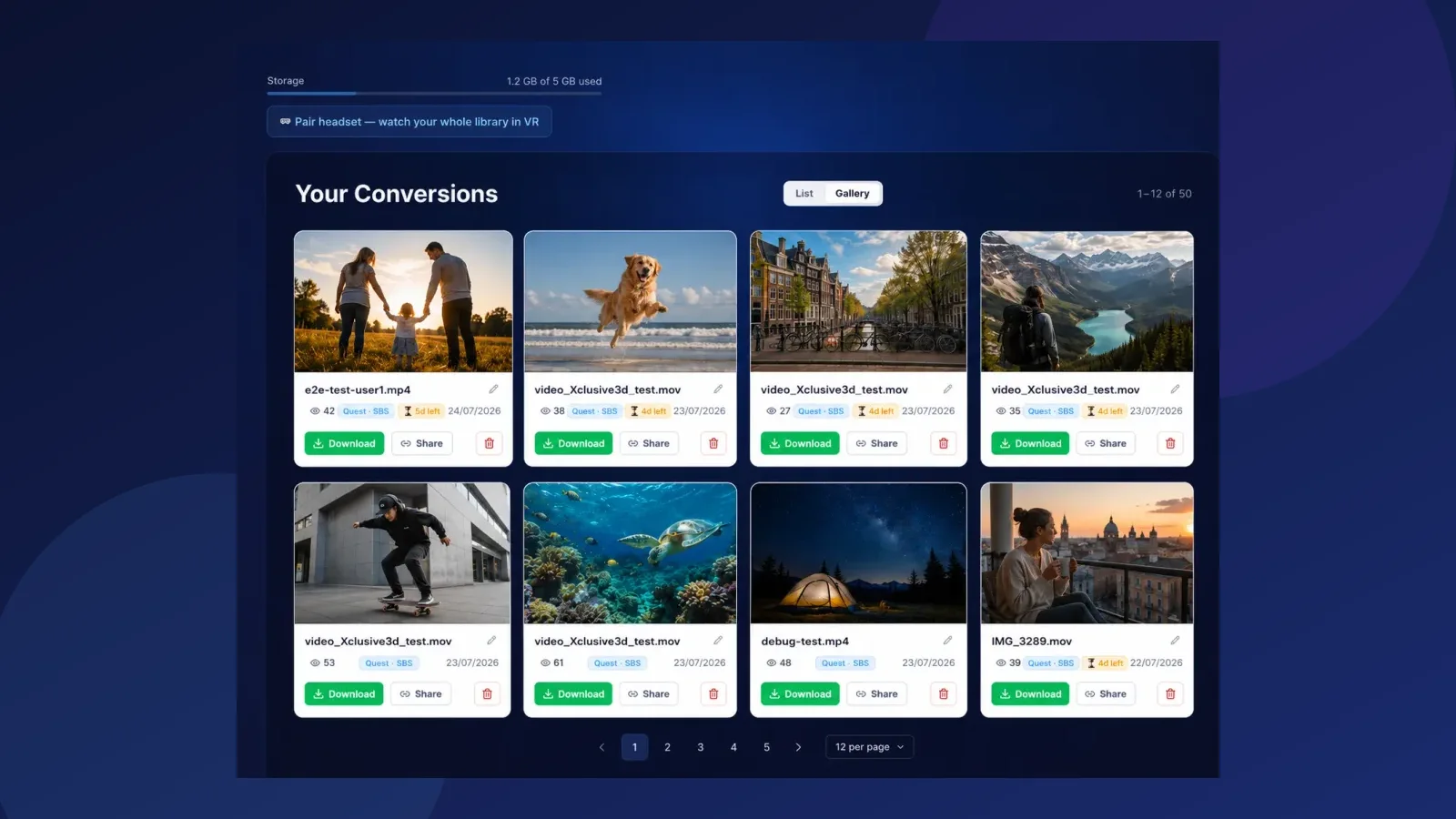
Most 3D conversion tools hand you a file and wish you luck. Then the real questions start: where do I put this? How do I get it into my headset? Why does it play flat? We built the answer into the product: every video you convert is also hosted, streamable and shareable, from the same place it was converted.
Everything integrated, nothing to set up
When your conversion finishes, it is already online. You get a watch page with a share code you can send to anyone; no cables, no file managers, no sideloading. Open the link in the browser of your headset and press play, in 3D. The page knows what device it is on: a Meta Quest gets the stereo stream it understands, an Apple Vision Pro gets true spatial video, and a phone or laptop gets a normal preview so people without a headset are not locked out.
Meta Quest and Apple Vision Pro, both
This is the part we are genuinely proud of: we support the two headset worlds at the same time. They speak different languages. Quest expects side-by-side stereo; Vision Pro expects Apple's MV-HEVC spatial format. We produce both from one conversion, so you never have to choose your audience. Send one link, and the Quest owner and the Vision Pro owner both see your video the way their device wants it.
Streaming for convenience, download for maximum quality
Streaming is the convenient way to watch: instant, shareable, no storage used. But streaming always means some compression, that is the physics of sending video over the internet. So the full-quality file is always yours to download. Put it on the headset itself and play it locally, and you get every pixel the conversion produced, with nothing between you and the video. Convenience when you want it, maximum quality when it matters: you do not have to pick one.
Try it with a real video
The fastest way to understand it is to see it. Convert a clip of your own (your first two minutes are free), or open our sample gallery in your headset's browser and press play. Hosting, streaming, sharing and downloading are all already there; conversion is just where it starts.